CLM & CVM
Conversion Driver: Pop-up Banner – Exit Intent
How exit-intent pop-up banners increase conversion rates and direct user flows more effectively.
•
acceleraid Editorial Team
•
5 min read

What are pop-up banners and exit intent banners?
Pop-up banners are windows that overlay the content of a website to deliver a specific message. They often appear unprompted, but can be activated by targeted triggers such as scrolling behavior or exit intent, that is, when a user is about to leave a page. Exit intent banners are a special form of pop-up that appear when the user is about to leave the website, and they often offer special deals to persuade them to stay.
A classic example is a pop-up with a discount code on shopping websites:
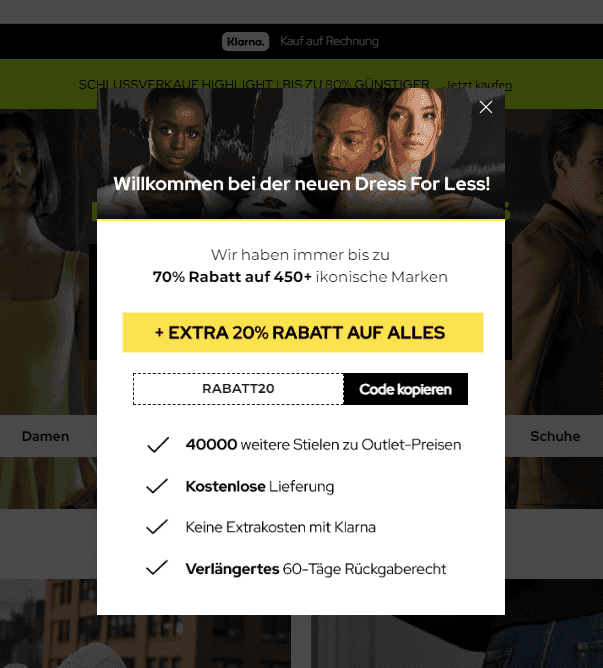
Example: Dress4Less discount code pop-up
Why are pop-ups used?
Pop-ups are versatile tools that play a central role in online marketing. They can:
Increase conversion rates: Pop-ups provide targeted interactions that turn visitors into buyers or leads.
Encourage users to take specific actions: Whether for newsletter sign-ups, discounts, specials and events, or special offers, pop-ups motivate actions that serve business goals.
Keep users from leaving: Exit intent banners in particular are a last chance to persuade the user to stay.
Use cases and reasons for pop-ups
Pop-ups are valuable for many reasons:
Increasing the conversion rate: Visitors who are about to leave a page can be caught with exit intent pop-ups featuring exclusive offers or reminders of ongoing promotions.
Collecting contacts: Pop-ups are perfect for collecting email addresses for newsletters or for building a community.
Information about special promotions: Pop-ups are well suited to pointing out limited-time promotions, such as discount campaigns, especially when users might otherwise miss the information.
How can pop-ups be used particularly effectively?
Pop-ups should be used strategically to achieve maximum benefit without disturbing the user:
Relevance and added value: Pop-ups should be relevant to the user. For example, a pop-up on a product page can offer a discount specifically on the product the user is viewing.
Non-promotional character: Helpful or informative content in a pop-up is often more effective than a pure sales pitch. For example, a pop-up could provide valuable tips on the topic the user is currently researching.
The right user, the right time, the right place: Pop-ups should be displayed at relevant places and times to improve the user experience. An onScroll pop-up, for instance, is only displayed once the visitor has reached a certain scroll depth and is thus showing engagement.
The different triggers for pop-ups
There are several ways to activate pop-ups:
Page onLoad: Pop-ups appear immediately when the page loads. This form can work well for first-time visitors, but it must be used carefully so as not to be perceived as intrusive.
Page onScroll: A pop-up appears when the user has reached a certain scroll depth. This shows that the visitor is actively exploring the page and is a suitable moment to present, for example, an offer or a sign-up.
Exit Intent: These pop-ups appear when the visitor wants to leave the page. They serve as a last attempt to keep the user with a special offer or helpful information.
There are of course other options, such as a sticky element that stays attached to the side of the page and scrolls along with it, etc.
In addition to the triggers, pop-ups can be individually customized and controlled:
On which pages do they appear? (e.g., only on product pages or blog articles)
On which devices do they appear? (desktop, mobile, or both)
How often and for how long do they appear per session?
For what share of visitors is the pop-up displayed?
Extended use cases and different types of pop-ups
Pop-ups come in different forms and have different possible uses:
Centrally placed pop-ups
These appear in the middle of the screen and completely cover the content until the user closes them or takes an action. One example is newsletter subscriptions that appear after a certain scroll depth. They are particularly effective because they draw full attention, but they should be used sparingly so as not to scare off the visitor.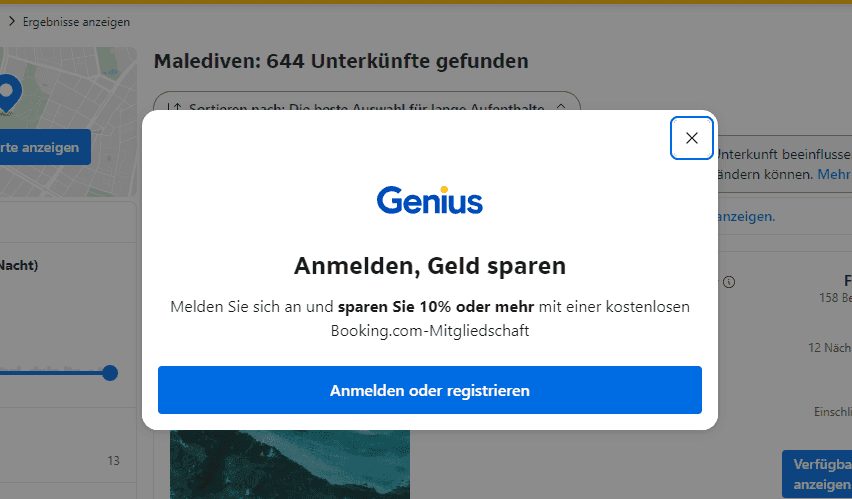
Booking pop-up for registration
Side notifications (slide-ins)
Slide-ins appear at the edge of the screen, often at the bottom right, and come across as less intrusive than centrally placed pop-ups. They are an excellent way to provide additional information or secondary calls to action, such as following on social networks or pointers to new blog articles. Chatbots, too, are often located at the bottom right of the page. Slide-ins are particularly well suited to informing users unobtrusively without disturbing the main experience.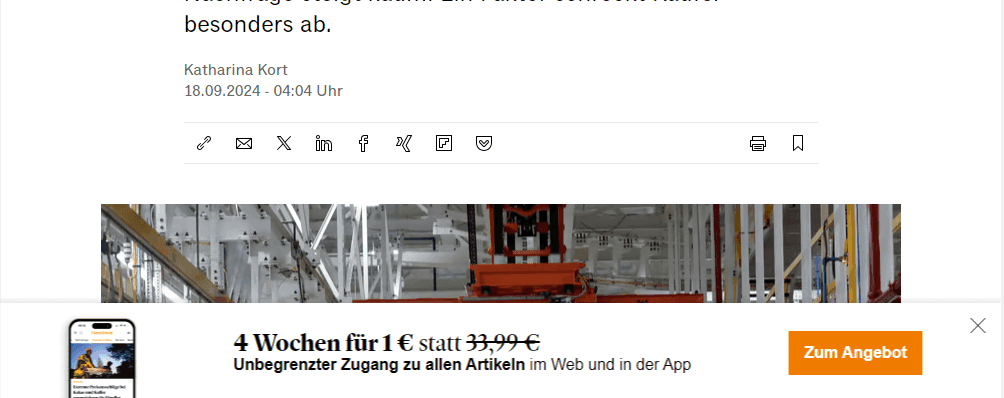
Handelsblatt membership bottom pop-up
Full-screen pop-ups
As the name suggests, full-screen pop-ups take up the entire screen. This type is often used for special announcements or promotions where the visitor's attention should be directed entirely to one message, such as large sales events or announcements of product updates. They are ideal for high-priority campaigns.Example: Dress4Less discount code pop-up
Sticky bars
Sticky bars are thin notification strips that are fixed at either the top or the bottom of the screen. They remain visible while scrolling and can be used to provide useful information, such as pointers to shipping promotions or coupon codes. This type of notification barely disturbs the user experience and can remain active for longer periods.
Sparkasse sticky bar on the right
Gamified pop-ups (e.g., wheel of fortune)
These pop-ups offer users a playful element. One example is a pop-up that shows a wheel of fortune, where the visitor can win discounts or rewards with a single spin. This interactive approach increases engagement and ensures a positive user experience.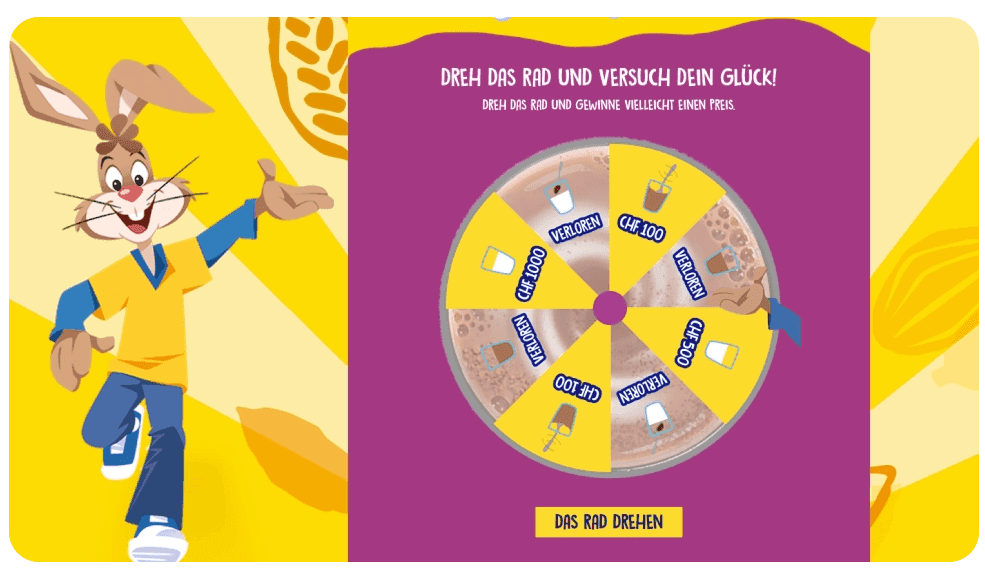
Wheel of fortune pop-up
Countdown pop-ups
Countdown pop-ups are especially popular in e-commerce. They create time pressure by showing the time remaining until an offer ends. This method uses the psychological phenomenon of urgency and motivates users to buy immediately.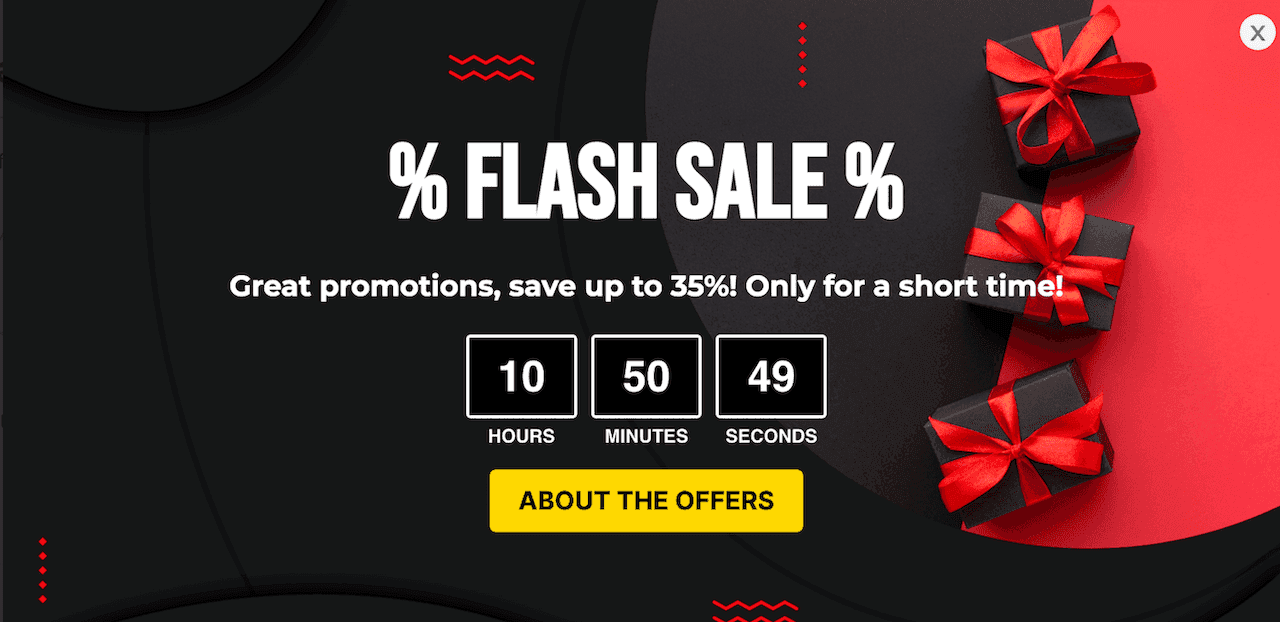
Countdown pop-up
Conclusion
Pop-ups and exit intent banners offer many ways to activate visitors and drive conversions. The key to success lies in the targeted placement and relevance of the pop-ups. By using different formats such as slide-ins, sticky bars, or full-screen pop-ups, you can improve the user experience while maximizing business benefit. With our customers, we have so far had excellent experiences with performance improvements through exit intent pop-up banners. Here is a concrete example of an implementation:
Would you like to learn more about exit intent banners? Then contact us and talk to our experts about individually tailored solutions!
Read on
Where to go next.
From the blog

CLM & CVM
The AI Decision Engine Business Case: What Banks Can Calculate Before Go-Live

CLM & CVM
Next Best Action in Banking: Ten Use Cases with Trigger, Check Rule and Success Measure

CLM & CVM